> ## Documentation Index
> Fetch the complete documentation index at: https://checkly-422f444a-docs-aeo-frontmatter-descriptions.mintlify.site/llms.txt
> Use this file to discover all available pages before exploring further.
# Creating A URL Monitor
> Step-by-step guide to set up your first URL monitor and ensure your websites and APIs are always accessible.
Learn more about all the [URL Monitor capabilities](/detect/uptime-monitoring/url-monitors/overview) in the general overview.
This guide walks you through creating your first URL monitor to check the availability and performance of your websites, APIs, or any HTTP-based service.
Each URL monitor is defined by its request configuration, which includes the target URL and how its availability and performance should be validated.
## Basic Setup
Configure your URL monitor by specifying the endpoint and request method:
 * **Request method:** Always `GET`
* **URL:** The HTTP(S) URL to monitor (e.g. `https://api.example.com`)
* **IP family:** Defaults to IPv4
## Response Validation
### Assertions
Validate the returned response status code:
* **Request method:** Always `GET`
* **URL:** The HTTP(S) URL to monitor (e.g. `https://api.example.com`)
* **IP family:** Defaults to IPv4
## Response Validation
### Assertions
Validate the returned response status code:
 ### Response Performance
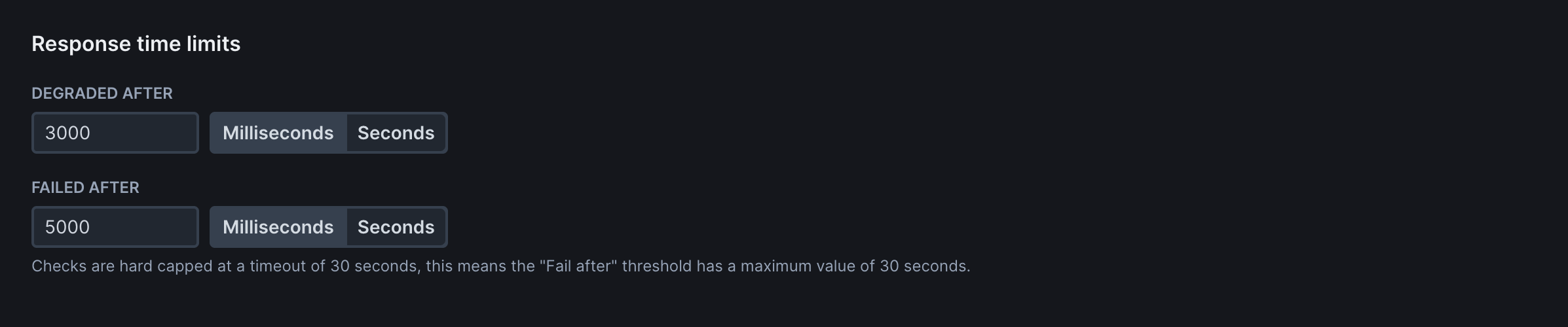
Define performance thresholds for degraded or failed states:
### Response Performance
Define performance thresholds for degraded or failed states:
 ## Frequency
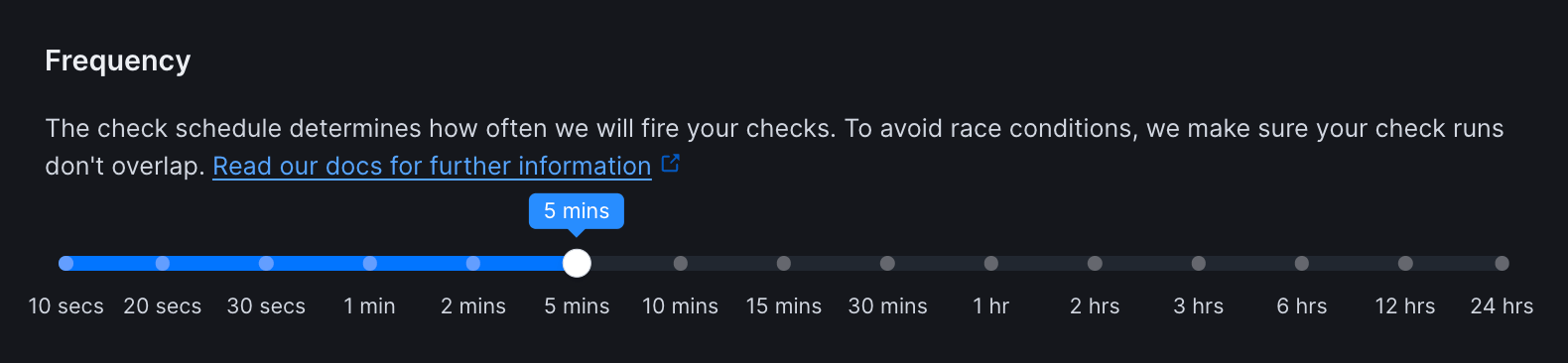
Set how often the monitor runs (every 10 seconds to 24 hours).
## Frequency
Set how often the monitor runs (every 10 seconds to 24 hours).
 ## Scheduling & Locations
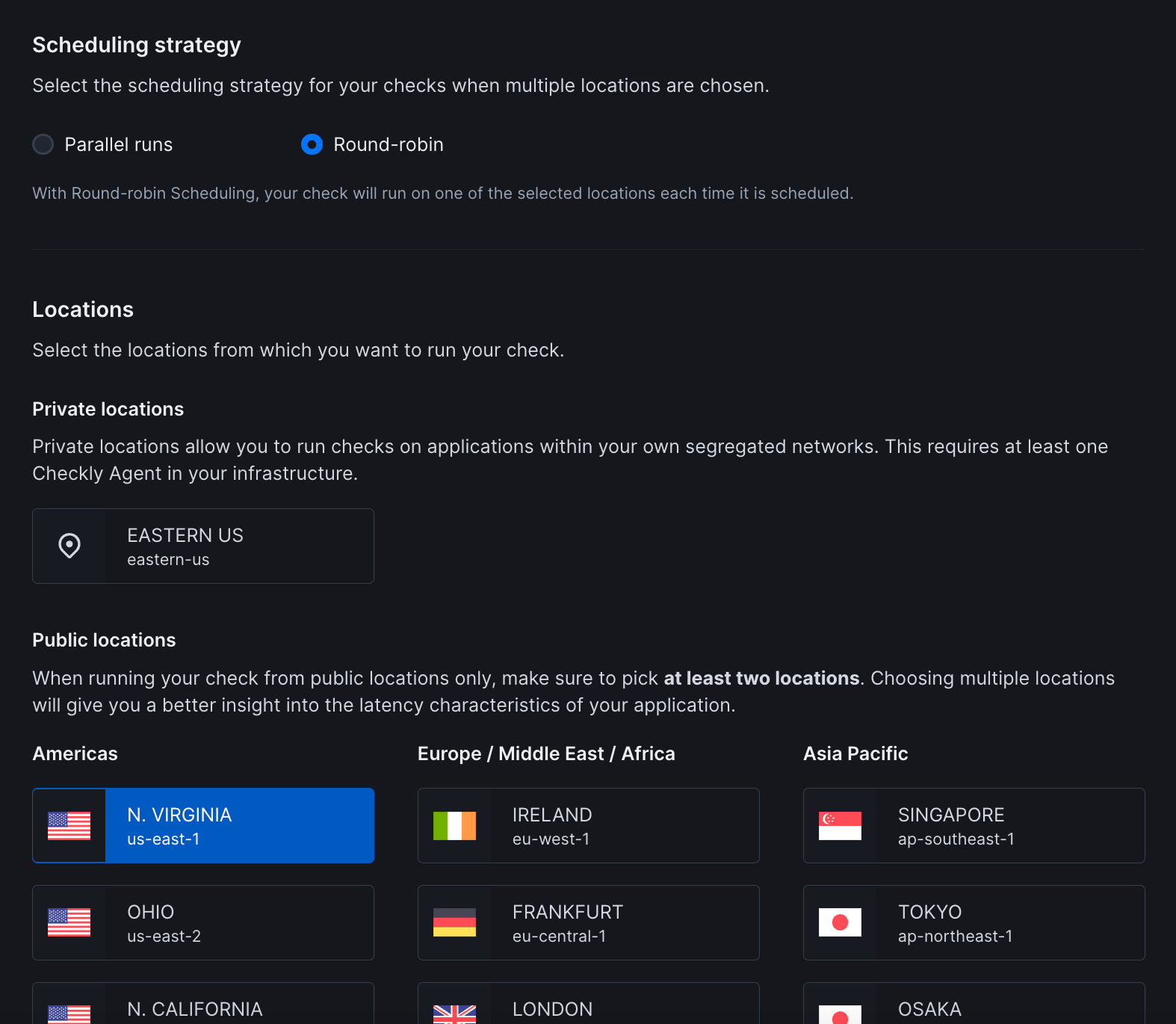 * **Scheduling:** Choose between round-robin or parallel execution. Learn more about [scheduling strategies](/concepts/scheduling)
* **Locations:** Select [public](/concepts/locations) or [private](/platform/private-locations/overview) locations to run the monitor from
## Additional Settings
* **Name:** Give your monitor a clear name to identify it in dashboards and alerts
* **Tags:** Use tags to organize monitors across dashboards and [maintenance windows](/communicate/maintenance-windows/overview)
* **Description:** A short description of the check. Supports Markdown. Maximum length: 500 characters
* **Retries:** Define how failed runs should be retried. See [retry strategies](/communicate/alerts/retries)
* **Alerting:** Configure your [alert settings](/communicate/alerts/configuration), [alert channels](/communicate/alerts/channels), or set up [webhooks](/integrations/alerts/webhooks) for custom integrations
* **Scheduling:** Choose between round-robin or parallel execution. Learn more about [scheduling strategies](/concepts/scheduling)
* **Locations:** Select [public](/concepts/locations) or [private](/platform/private-locations/overview) locations to run the monitor from
## Additional Settings
* **Name:** Give your monitor a clear name to identify it in dashboards and alerts
* **Tags:** Use tags to organize monitors across dashboards and [maintenance windows](/communicate/maintenance-windows/overview)
* **Description:** A short description of the check. Supports Markdown. Maximum length: 500 characters
* **Retries:** Define how failed runs should be retried. See [retry strategies](/communicate/alerts/retries)
* **Alerting:** Configure your [alert settings](/communicate/alerts/configuration), [alert channels](/communicate/alerts/channels), or set up [webhooks](/integrations/alerts/webhooks) for custom integrations